DMARC Guardian
The invoice left your app signed. The gateway appended a legal footer. A customer says the invoice never arrived, and your test copy shows dkim=fail. Rotating the DKIM key won’t help if the gateway changed the message after signing.
Prove where the failure starts
Send the same low-risk test message through the normal production route to a mailbox you control. Also send a copy through a route that skips the footer rule: that is your control. In Gmail, open each received message, choose Show original, and save the raw headers and body. Send fresh after every change; old messages prove nothing.
Look for the DKIM-Signature and Authentication-Results fields. A simplified example; real headers vary:
From: billing@example.com
DKIM-Signature: v=1; d=example.com; s=selector1; c=relaxed/relaxed;
  bh=<body-hash>; b=<signature>
Authentication-Results: mx.example.org;
  dkim=fail (body hash did not verify) header.d=example.com;
  spf=pass smtp.mailfrom=relay.example.net;
  dmarc=fail header.from=example.com
d=example.com is the signing domain; s=selector1 identifies the key. The bh= value covers the signed message body. The receiver compares it against the body it actually received; if a gateway appends content after signing, that comparison fails (RFC 6376 §3.7, §6.1.3). Some signatures have an l= body-length tag, which can leave appended text outside the signed part. Don’t add it as a workaround: that text is not covered by the signature, and a verifier may treat the message with suspicion or fail it (RFC 6376 §6.1.3). Some receivers print only dkim=fail with no reason; compare the copies and the gateway trace.
In the example, SPF passes for the envelope domain relay.example.net, which does not align with the visible From: example.com. With DKIM broken, there is no aligned pass, so DMARC fails (RFC 9989 §5.3.5).
Separate a changed body from a bad DNS key
- Compare the two test copies. If only the gateway route has the footer and
dkim=fail, the modification is a strong lead. Confirm in the gateway’s message trace which rule added it and when relative to DKIM signing. - If both copies fail, check whether the selector is published where the signature says it should be:
dig TXT selector1._domainkey.example.com +short. A missing or wrong key is a different incident; trace a pending DKIM selector with dig before changing the gateway. - Check
c=in the signature. Evenrelaxedbody canonicalization only normalizes whitespace and trailing empty lines; it does not make an added footer safe (RFC 6376 §3.4.4). - Check the actual
From:andsmtp.mailfromdomains. Ifsmtp.mailfromaligns, DMARC passes on SPF even with broken DKIM. See why SPF can pass while DMARC fails.
A DKIM failure alone is not proof that the customer missed the message. Match the customer’s delivery event or bounce in your sending system to the timestamp and recipient before blaming this rule. Receivers decide what to do with failed authentication; your DMARC policy is a request, not a delivery guarantee (RFC 9989 §5.3.6, §7.4).
Fix the order; don’t weaken the policy
Move the footer step before DKIM signing, or exempt this outbound stream from the gateway’s footer rule. Make the final signature at the last hop that changes the body. A global gateway rule change affects every sender; coordinate with its owner. Don’t solve a footer mutation by deleting the domain’s DKIM key or dropping p=reject to p=none.
After the change, repeat the same production-route send. Record the gateway rule ID and signing order, and confirm dkim=pass header.d=example.com plus dmarc=pass header.from=example.com in the fresh received copy. Check the sender’s bounce log as well. Then check this source in the next aggregate reports. If you need a safe policy-change plan after the incident, use the staged DMARC rollout checklist.
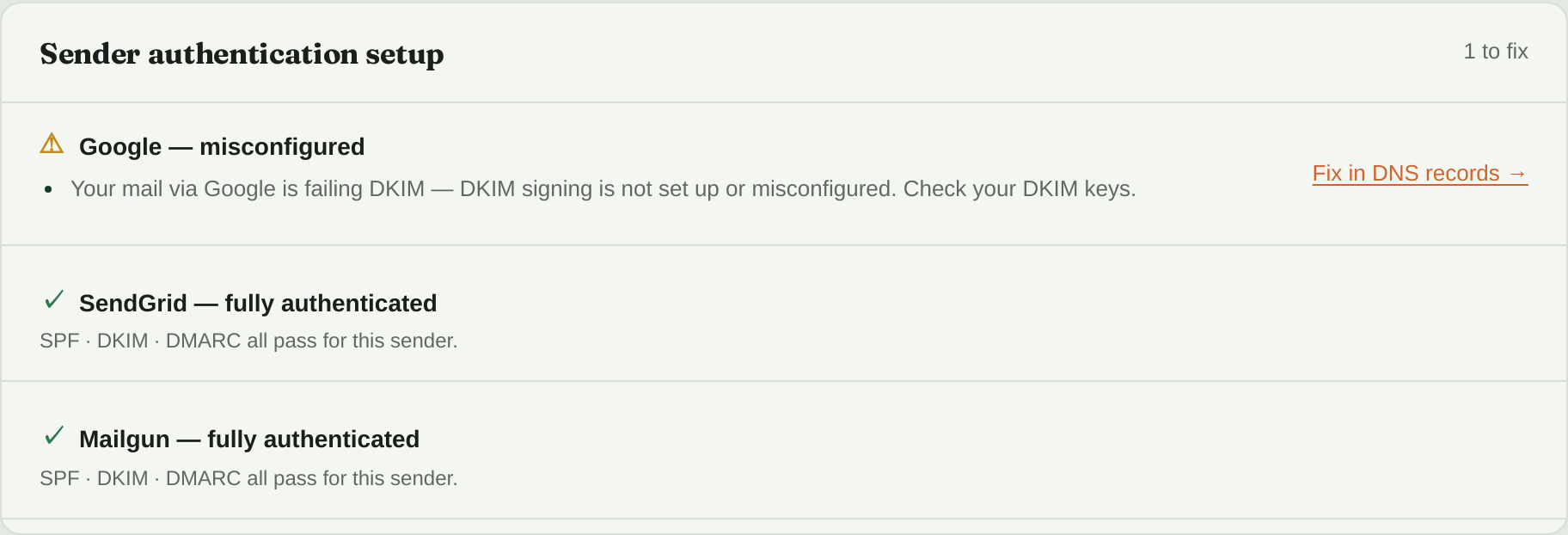
DMARC Guardian reads your aggregate reports (about a day behind) and flags each confirmed sender whose mail starts failing DKIM. If the gateway relays your app’s mail, the failures may show up under the gateway’s source rather than your app’s provider. The flag tells you which sender broke; the raw header on your test copy tells you whether the footer did it, so don’t take “check your DKIM keys” as a reason to rotate before you’ve compared the copies.